> ## Documentation Index
> Fetch the complete documentation index at: https://codegeninc-codegen-bot-improve-prompting-docs-1748199197.mintlify.site/llms.txt
> Use this file to discover all available pages before exploring further.
# Setup Commands
Codegen lets you configure custom setup commands that run once when initializing a repository's sandbox environment. The resulting file system snapshot serves as the starting point for all future agent runs, ensuring consistency.
The most common use cases for setup commands is installing dependencies, e.g.
`npm install`
## Accessing Setup Commands
To configure setup commands for a repository:
1. Navigate to [codegen.com/repos](https://codegen.com/repos).
2. Click on the desired repository from the list.
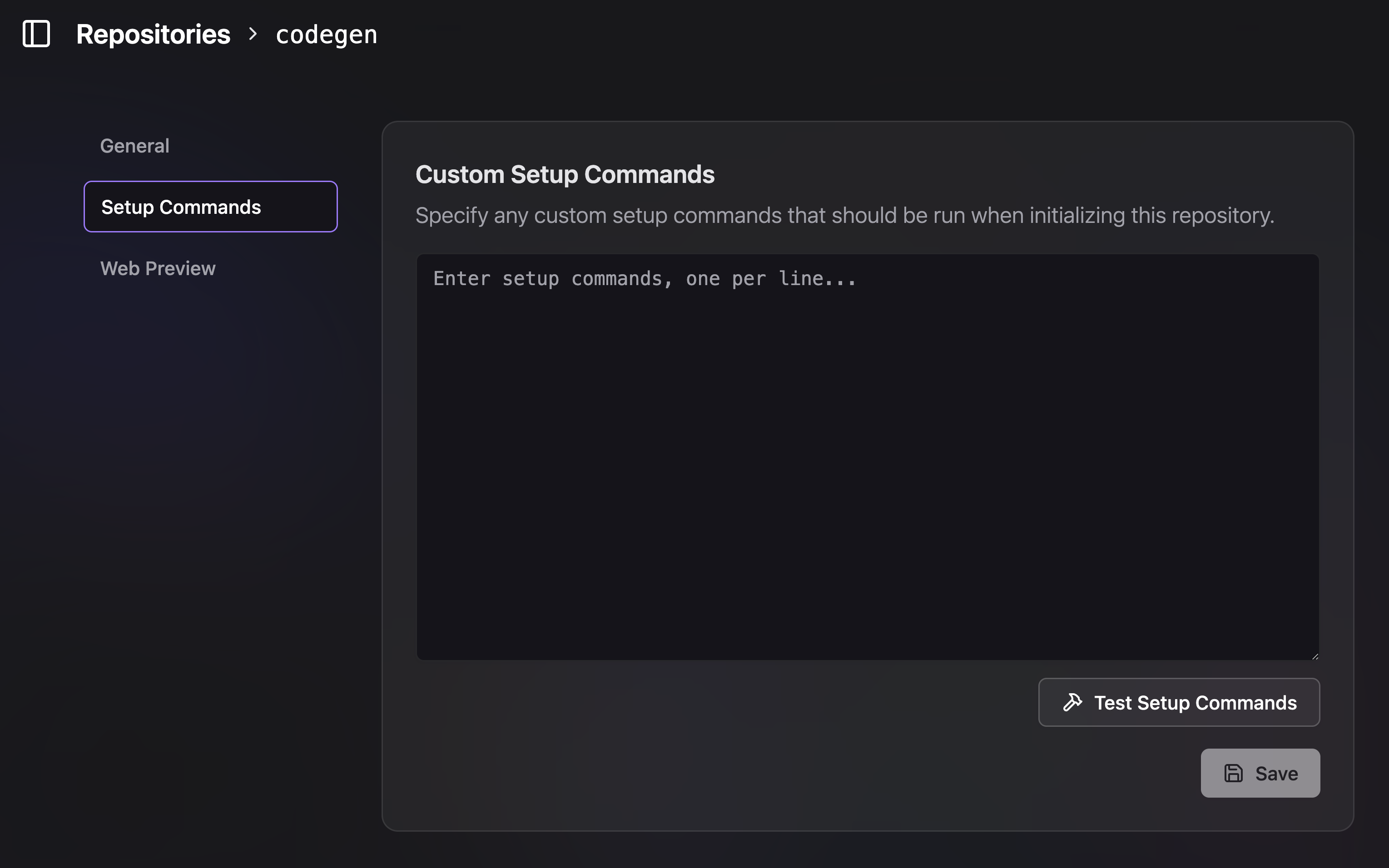
3. You will be taken to the repository's settings page. The setup commands can be found at a URL similar to `https://codegen.com/{your_org}/{repo_name}/settings/setup-commands` (the exact URL structure might vary slightly, look for a "Setup Commands" or "Sandbox Configuration" section).
 ## How it Works
Enter your desired setup commands in the provided text area, with one command per line. These commands will be executed in sequence within the sandbox environment.
For example, you might want to:
* Switch to a specific Node.js version.
* Install project dependencies.
* Run any necessary build steps or pre-compilation tasks.
After the commands are executed successfully, Codegen takes a snapshot of the sandbox's file system. This snapshot then serves as the base environment for future agent interactions with this repository, meaning your setup commands don't need to be re-run every time, saving time and ensuring consistency.
## Common Examples
Here are a few common use cases for setup commands:
```bash
# Switch to Node.js version 20
nvm use 20
# Install npm dependencies
npm install
```
```bash
# Install Python dependencies
pip install -r requirements.txt
```
```bash
# Or a combination of commands
nvm use 18
npm ci
npm run build
```
Ensure your setup commands are non-interactive and can run to completion
without user input.
The environment variables listed in the "Env Variables" section are available
during the execution of these setup commands.
## How it Works
Enter your desired setup commands in the provided text area, with one command per line. These commands will be executed in sequence within the sandbox environment.
For example, you might want to:
* Switch to a specific Node.js version.
* Install project dependencies.
* Run any necessary build steps or pre-compilation tasks.
After the commands are executed successfully, Codegen takes a snapshot of the sandbox's file system. This snapshot then serves as the base environment for future agent interactions with this repository, meaning your setup commands don't need to be re-run every time, saving time and ensuring consistency.
## Common Examples
Here are a few common use cases for setup commands:
```bash
# Switch to Node.js version 20
nvm use 20
# Install npm dependencies
npm install
```
```bash
# Install Python dependencies
pip install -r requirements.txt
```
```bash
# Or a combination of commands
nvm use 18
npm ci
npm run build
```
Ensure your setup commands are non-interactive and can run to completion
without user input.
The environment variables listed in the "Env Variables" section are available
during the execution of these setup commands.